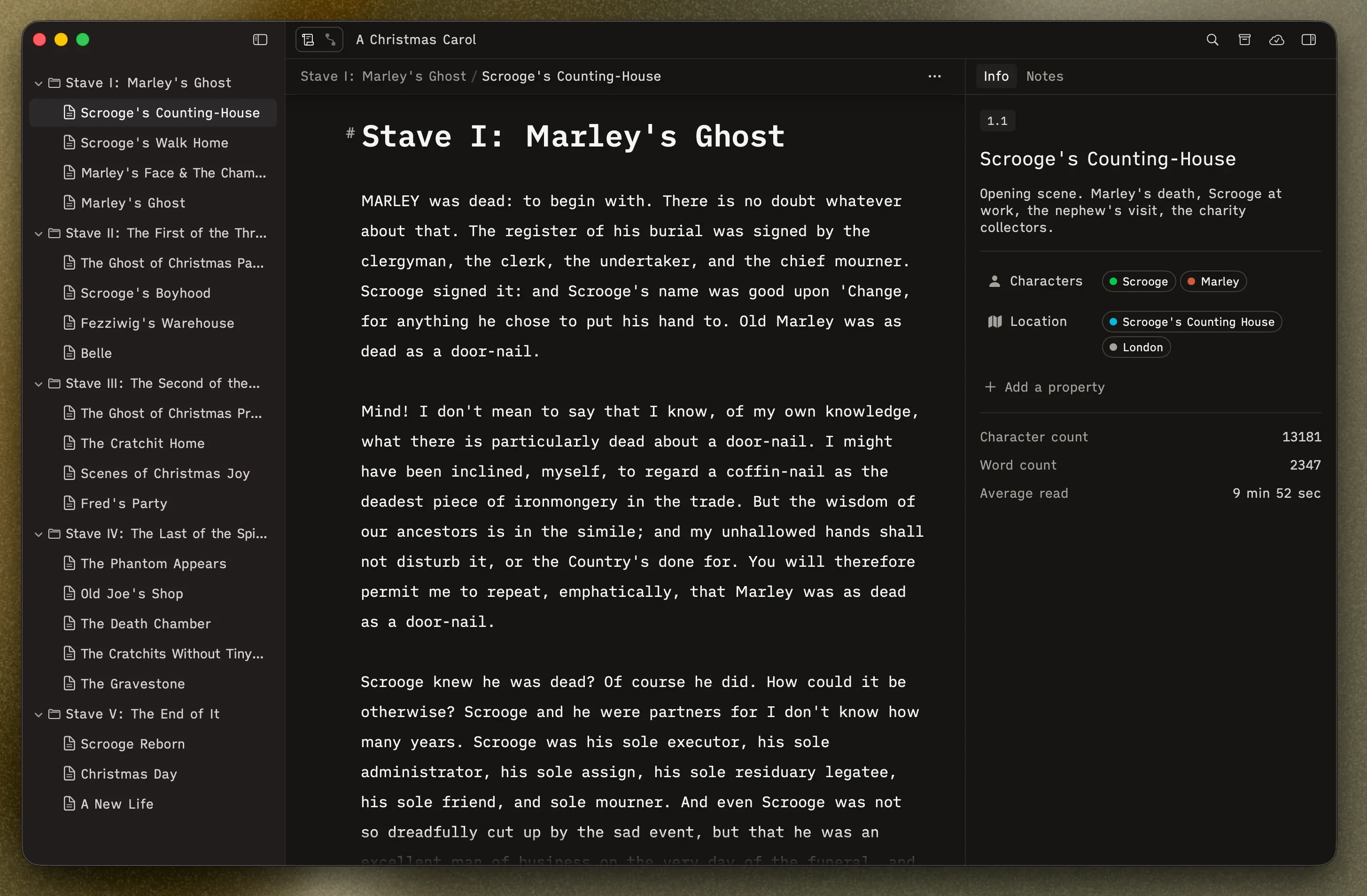
Manuscript Layout
In Manuscript view, you get up to three columns. Show or hide the outer two depending on what you need.
Sidebar (left) — Your manuscript’s structure as a folder/scene tree. This is your table of contents, always one click away. Toggle it with the sidebar button in the toolbar.
Editor (center) — Your writing surface. The selected scene’s text fills this area.
Inspector (right) — Details about whatever you’ve selected: metadata, descriptions, word counts, and custom properties. Toggle it with the inspector button in the toolbar, or press ⌥⌘I.