
Archiving and Restoring
Herbert uses a soft-delete system. Nothing is permanently destroyed — when you archive a scene or folder, it’s removed from your manuscript but saved in the Archive for later.
Archiving
Section titled “Archiving”From the sidebar: Right-click an item and choose Archive.
From the canvas: Select one or more nodes, then click the Archive button (trash icon) in the floating toolbar.
Archiving a folder archives everything inside it.
Viewing the Archive
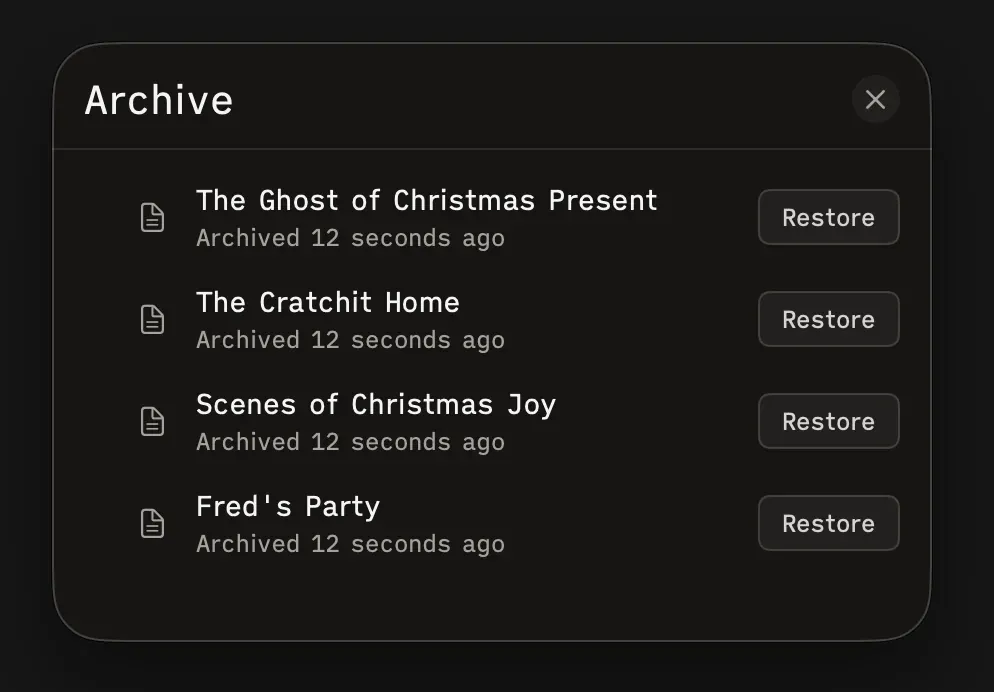
Section titled “Viewing the Archive”Click the Archive button (archive box icon) in the toolbar to open the Archive sheet. You’ll see:
- Each archived item with its name, icon, and when it was archived (e.g., “2 hours ago”)
- A Restore button for each item
- Folder groups with disclosure chevrons so you can see what was inside
Items are sorted newest-first.
Restoring
Section titled “Restoring”Click Restore on any item to put it back in your manuscript at its original position. If the original parent folder was also archived, the item goes to the root level instead.
Restoring is undoable — press ⌘Z to re-archive if you change your mind.