
The Inspector
The Inspector panel lives on the right side of the window and shows details about whatever you’ve selected. Toggle it with the inspector button in the toolbar or press ⌥⌘I. You can resize it by dragging the divider between the editor and the Inspector.
Info Tab
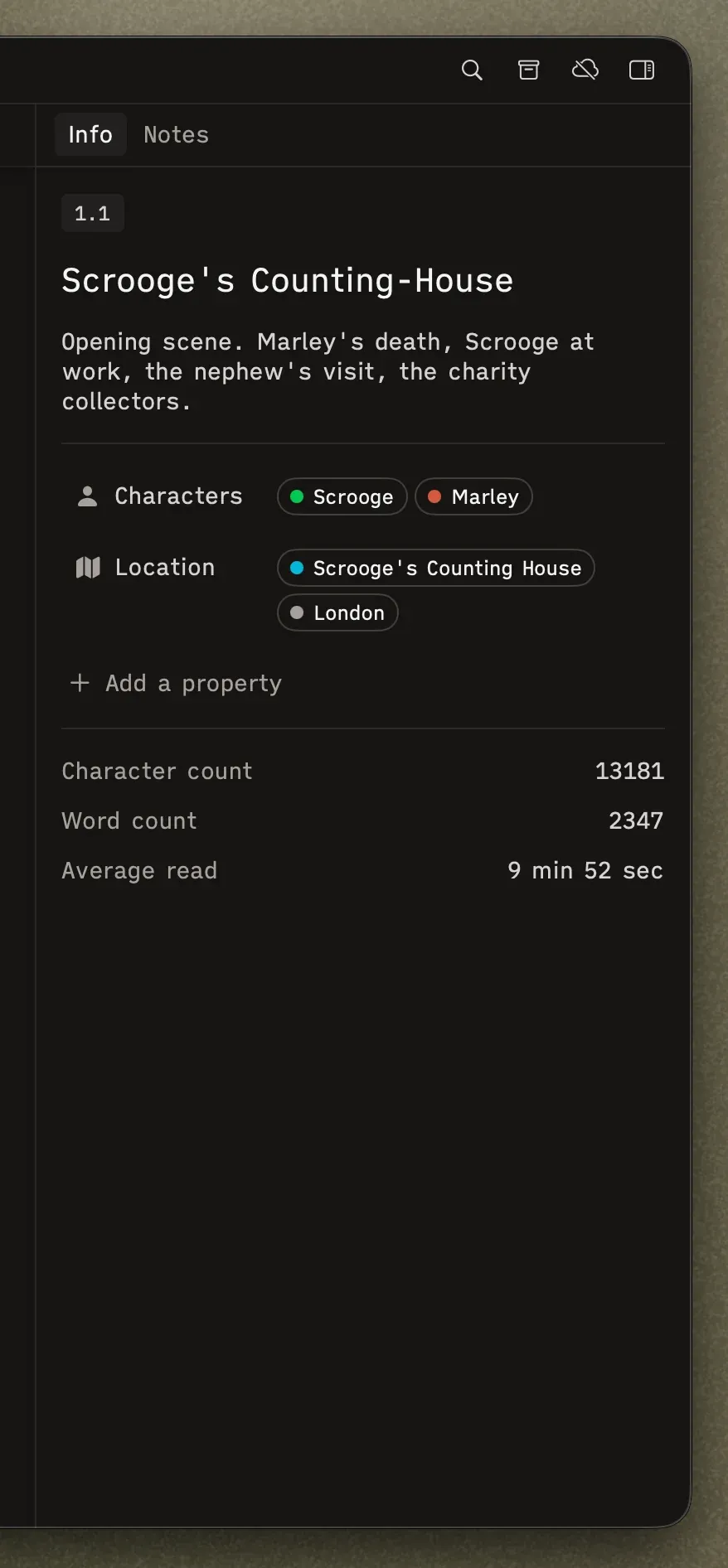
Section titled “Info Tab”The default tab. Here you’ll find:
- Index badge — The node’s position in the hierarchy (e.g., “Scene 1.2”).
- Title — Editable, up to 2 lines.
- Description — A text area for scene summaries, chapter notes, or whatever context you need. For folders, this is a great place to capture structural notes about that section of your story.
- Properties — Custom metadata fields (more on this in Properties).
- Stats — Word count and other info.
Notes Tab
Section titled “Notes Tab”Notes will be added in the future.
Multi-Selection
Section titled “Multi-Selection”When you select multiple items (on the canvas or in the sidebar), the Inspector shows a summary count — “2 scenes, 1 folder” — rather than individual details.